
BDSA Auto Remediation
When the Black Duck Security Advisory (BDSA) team analyzes a CVE vulnerability, they check to see what component versions are affected by the vulnerability. Sometimes they find that the vulnerability applies to a different set of versions. This feature will give you the ability to automatically ignore CVE vulnerabilities if the BDSA team has found that the vulnerability does not apply to that component version.
This setting only applies to CVE vulnerabilities with a related BDSA vulnerability. If the CVE is mapped to a component version, but its related BDSA is not also mapped to that component version then the system may automatically remediate the CVE vulnerability based on the feature setting.
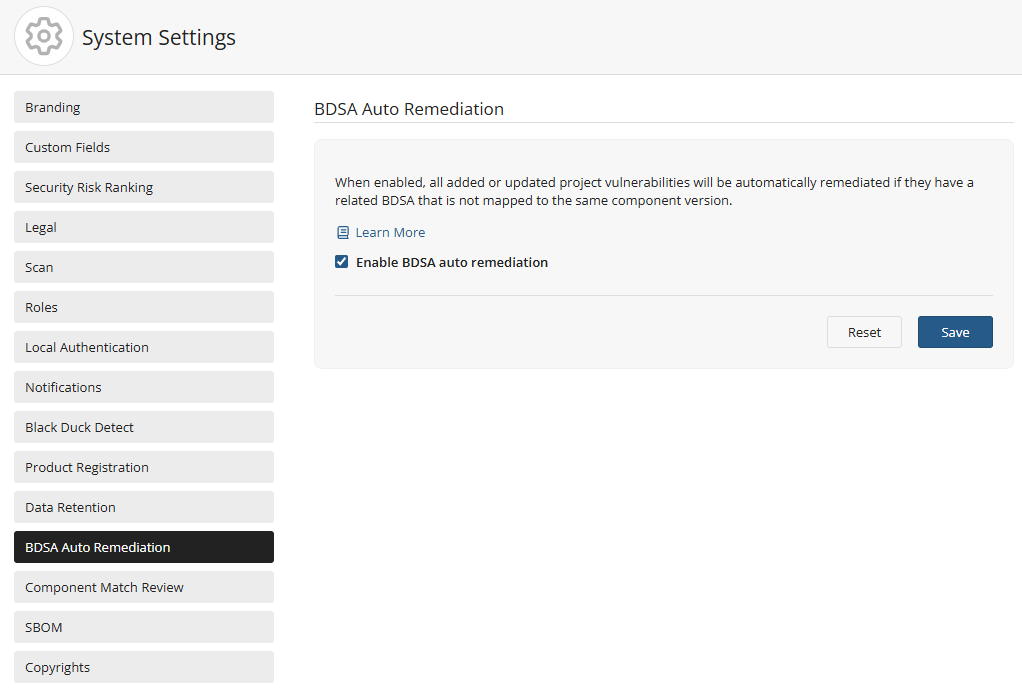
Changing the BDSA Auto Remediation setting
To change the BDSA Auto Remediation setting:
-
Log in to Black Duck with the System Administrator role.
-
Click
 .
-
Select System Settings.
-
Click BDSA Auto Remediation.
-
Check the Enable BDSA auto remediation checkbox to activate the feature or remove the check to disable it.
-
Click the Save button to save the current setting (on or off) for the BDSA Auto Remediation feature and apply the changes going forward for all new scans. It will not update any existing CVEs.
For more information regarding Black Duck Security Advisories and how to remediate vulnerabilities, please refer to: